 JonatanRosali
28ce46db61
JonatanRosali
28ce46db61
(1)Things a non Programmer can do.zh-cn.md
(2)undoing-a-commit.zh-cn.md
(3)Useful-links-for-further-learning.zh-cn.md
(4)why-using-branches.zh-cn.md
(5)git-bash-windows-tutorial.zh-cn.md
(6)github-cli-tutorial.zh-cn.md
4.7 KiB




First Contributions (首次贡献)
 |
GitHub 命令行工具 (CLI) |
|---|
这是给我们这些终端爱好者准备的指南,感谢 Github-CLI,我们可以在终端中完成所有事情。你的第一次贡献应该是有趣、有成就感的,它将激励你继续前进!
这个指南稍微有些挑战,因为我们不会使用任何图形界面。但它仍然非常有趣,并且你一定可以跟得上!
你需要准备以下工具:
- 安装 Git (如何安装 git)
- Github 账户
现在我们需要在系统中安装 github-cli 工具,方法请见官方文档
接着输入以下命令登录 CLI:
gh auth login
按照指示完成登录,我们就准备好了!
Fork 这个仓库
只需运行以下命令即可:
gh repo fork firstcontributions/first-contributions
重要提示:命令会提示你是否需要克隆仓库,请选择 “yes”
创建你的分支
使用 Git 创建一个新分支,命名时请用你的名字替换示例中的部分,例如:
git switch -c add-john-doe
做出必要更改并提交
现在,你可以用文本编辑器打开 Contributors.md 文件并添加你的名字。将你的名字加在文件的任何地方,然后保存文件。
在项目目录中执行 git status 命令查看更改。
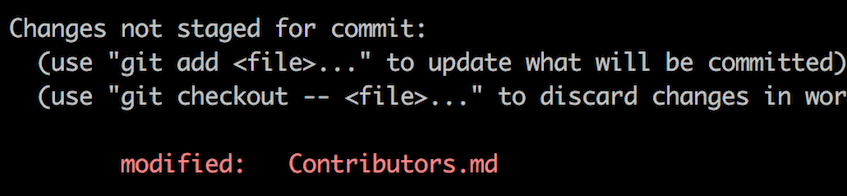
使用 git add 命令将更改添加到你刚创建的分支:
git add Contributors.md
然后使用 git commit 命令提交更改:
git commit -m "Add your-name to Contributors list
请将 your-name 替换为你的名字。
推送更改到 GitHub
使用下面的命令推送更改:
git push origin -u your-branch-name
请将 your-branch-name 替换为你之前创建的分支名称。
如果在推送过程中出现错误,请点击这里:
-
身份验证错误
remote: Support for password authentication was removed on August 13, 2021. Please use a personal access token instead.
remote: Please see https://github.blog/2020-12-15-token-authentication-requirements-for-git-operations/ for more information.
fatal: Authentication failed for 'https://github.com//first-contributions.git/'
请参考 GitHub's tutorial 来生成并配置 SSH key。
提交你的更改以供审查
在你的仓库目录下运行以下命令来创建 Pull Request:
gh pr create --repo firstcontributions/first-contributions
接着提交 Pull Request。
你可以使用 gh status 命令来查看你的 PR 状态。
接下来做什么?
恭喜你!你刚完成了一个常见的开源贡献流程 — fork -> clone -> edit -> pull request!
你可以通过访问 web app 与朋友和关注者分享你的贡献。
如果你有任何疑问或需要帮助,也可以加入我们的 Slack 团队:Join slack team。
现在你可以开始为其他项目做贡献了。我们收集了一些适合入门的项目,你可以在the list of projects in the web app上查看。